
Powerful design tools
Everything You Need to Plan Your Fence Art
From simple school spirit designs to connected multi-panel displays, Fence Art Designer helps you build, organize and install your idea with confidence.


Your idea. Your fence. One clear workspace.
See the pattern before you place the first cup.
Free
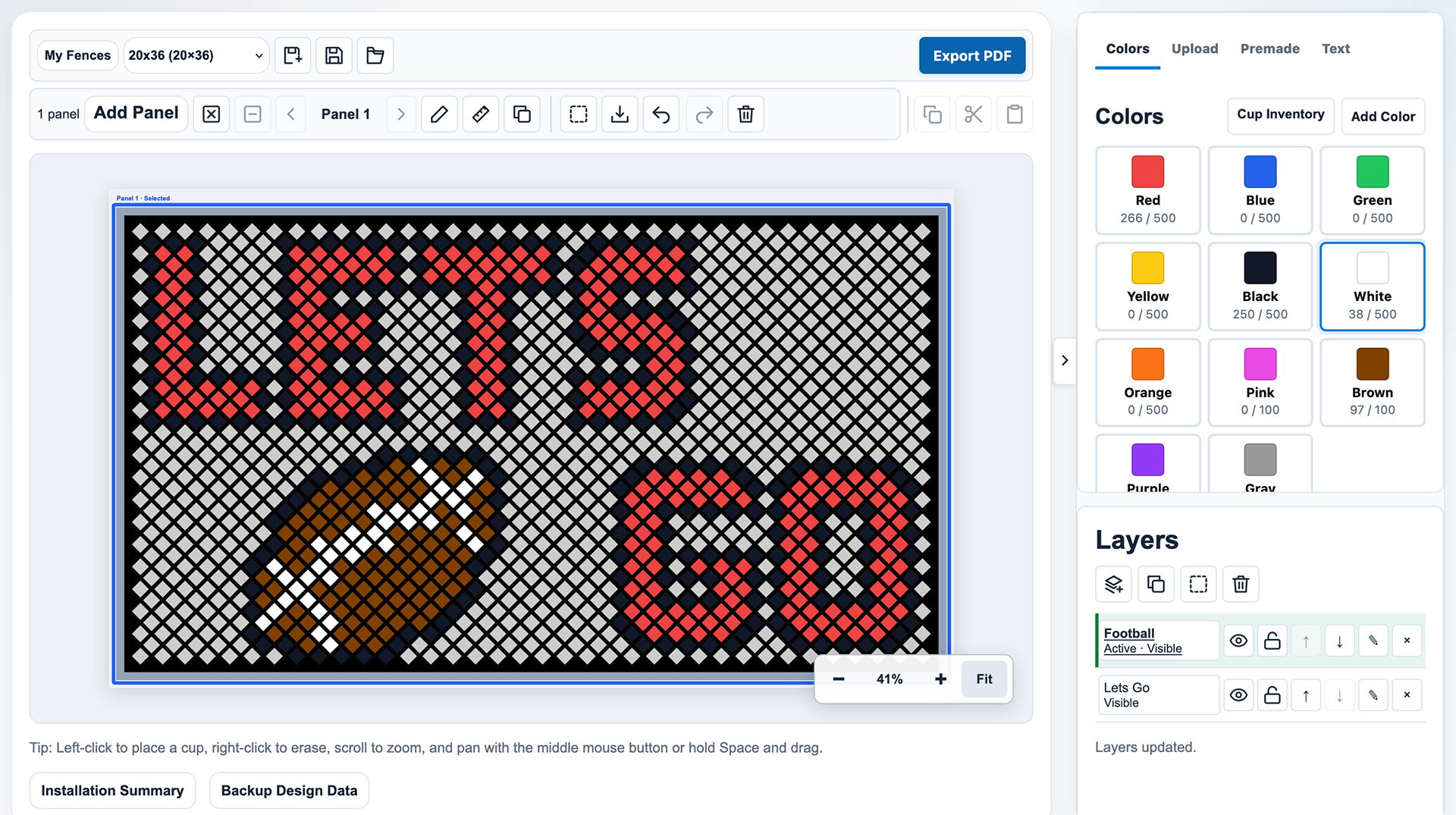
Design Cup by Cup
Build your idea directly on the fence, with a clear view of every cup and color.
- Place, erase and recolor cups by hand.
- Track cup counts as you work, with undo and redo.
- Choose a saved fence or create your own layout in My Fences.
Free + Premium
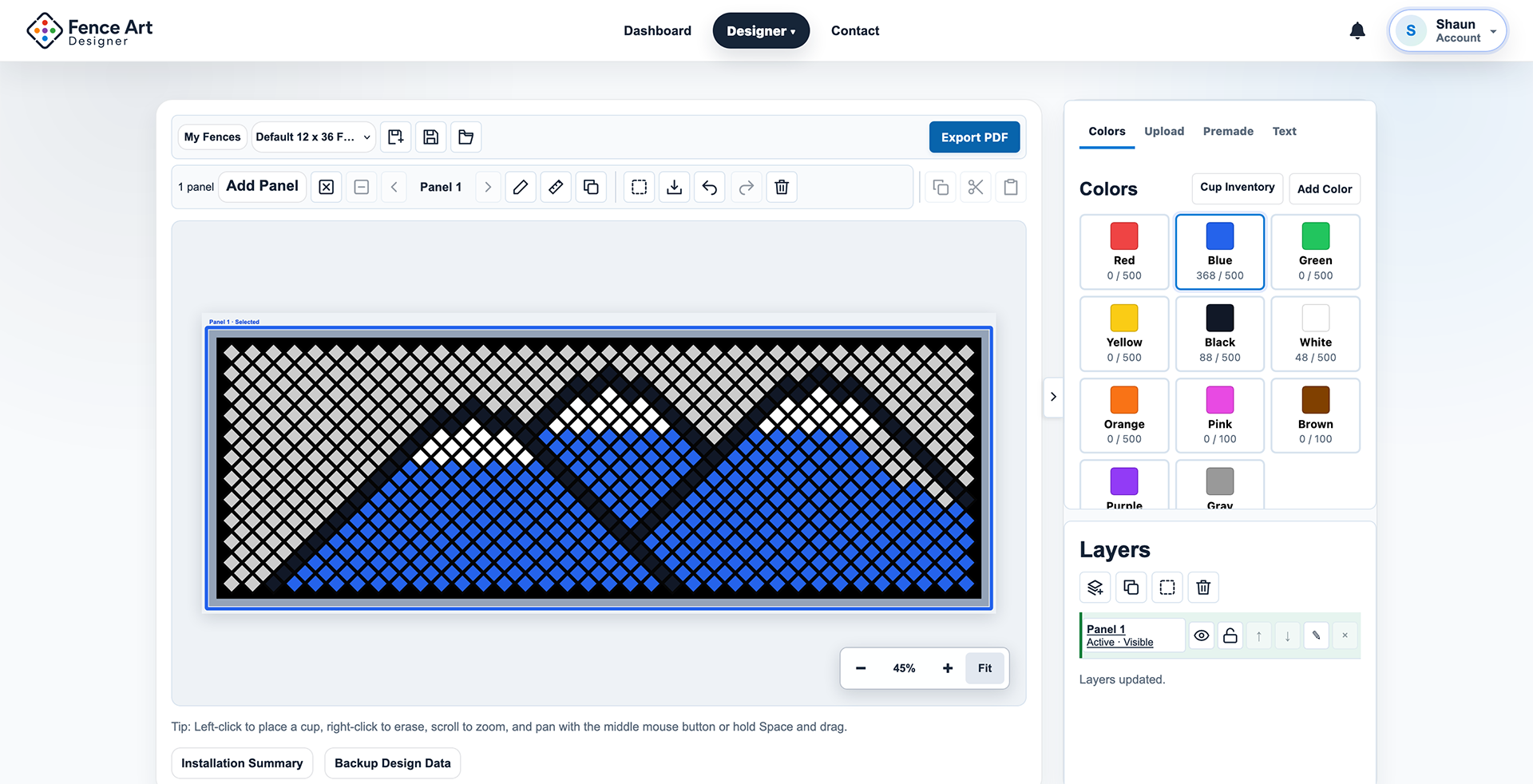
Start Faster With Text and Premade Designs
Give your display a head start with a message or ready-made artwork, then make the colors your own.
- Add text and use Free premade designs.
- Choose replacement cup colors, then move and scale premades before applying.
- Placement follows the fence lattice; Premium adds Premium premades.
Premium
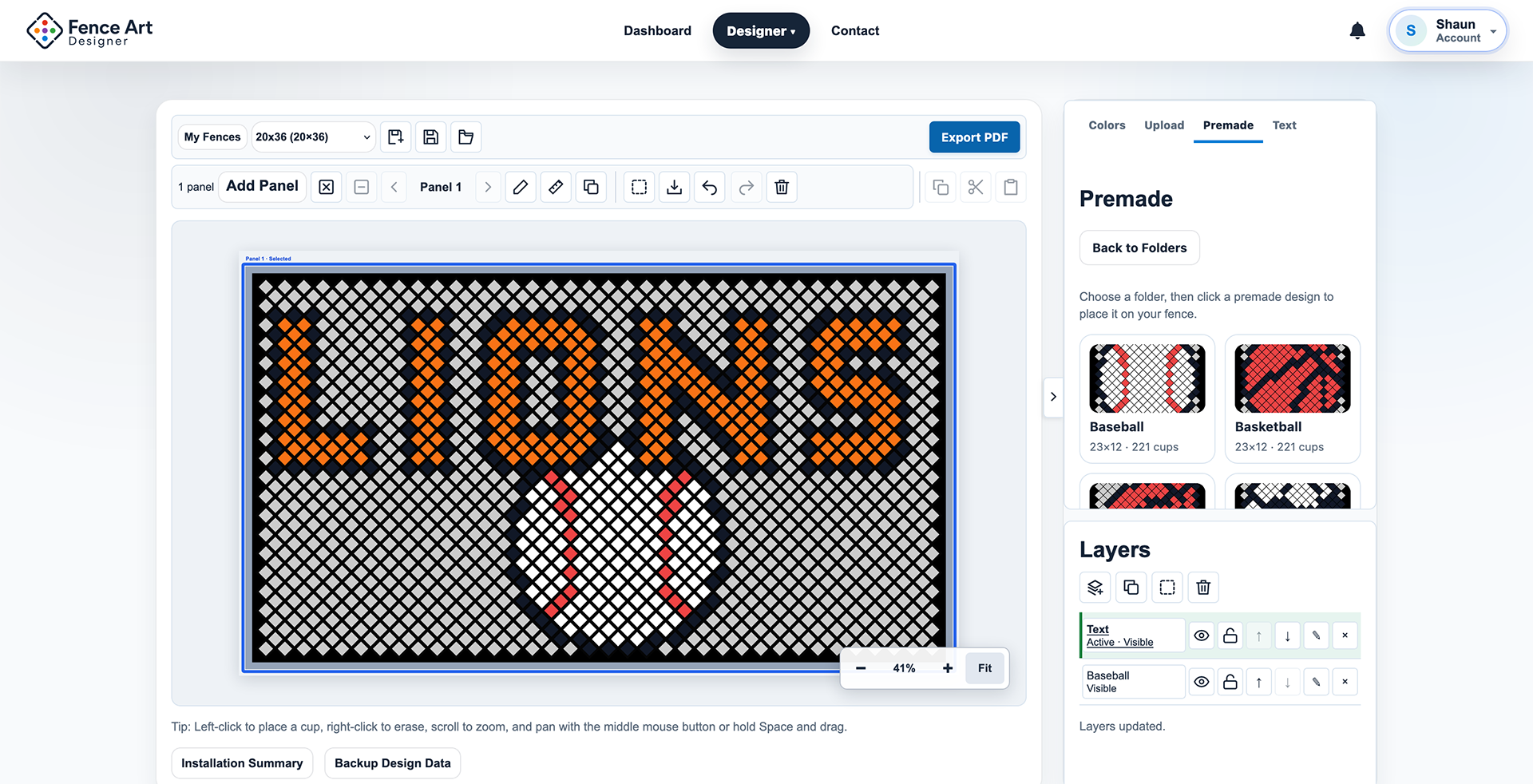
Turn Your Image Into Cup Art
Start with a simple logo, mascot or graphic. See the cup result before committing it to your design.
- Upload PNG, JPEG or WebP, then position and resize it.
- Preview conversion, choose cup colors and Apply when ready.
- Processing stays in your browser; the temporary source image is not permanently uploaded to the server.
Premium
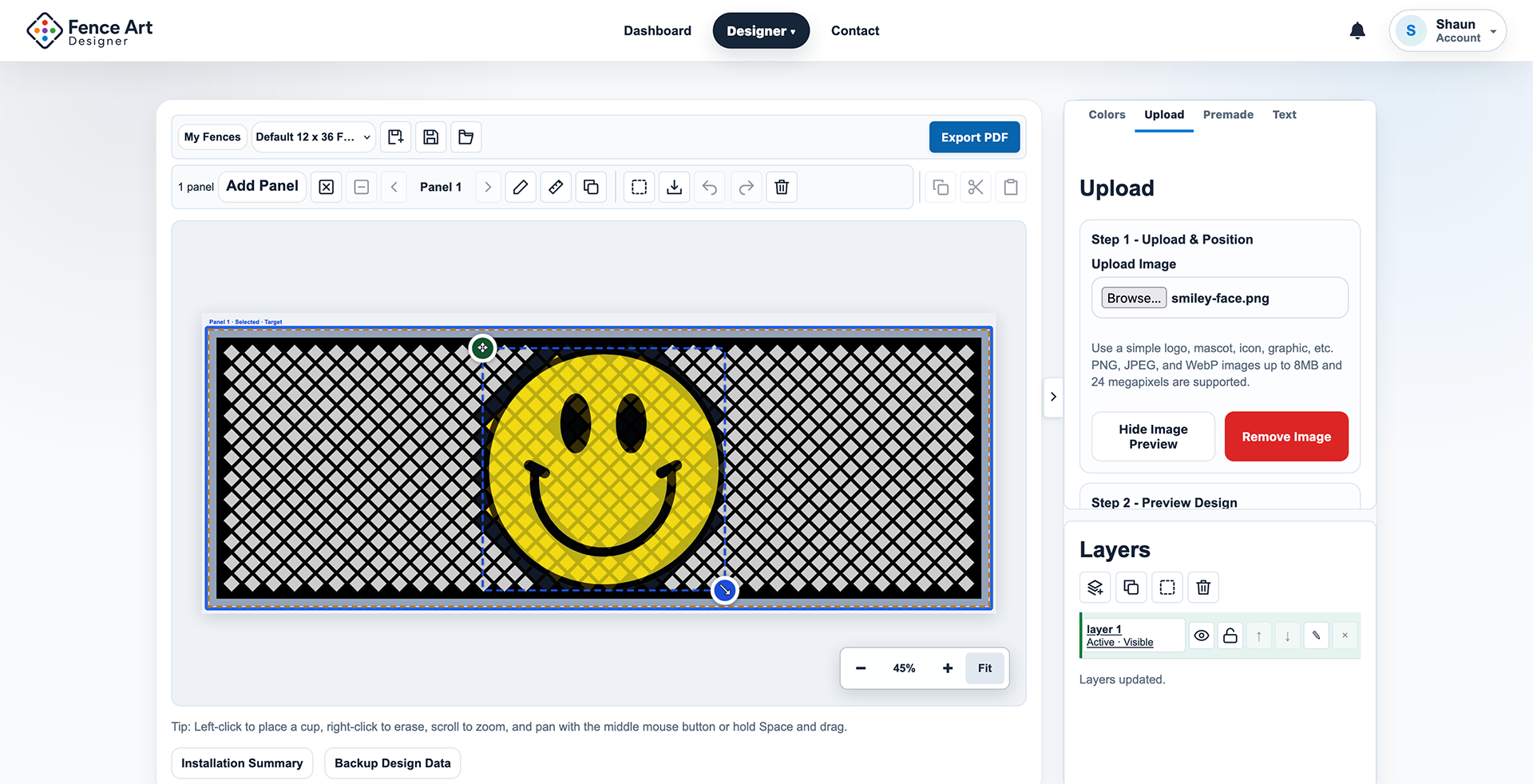
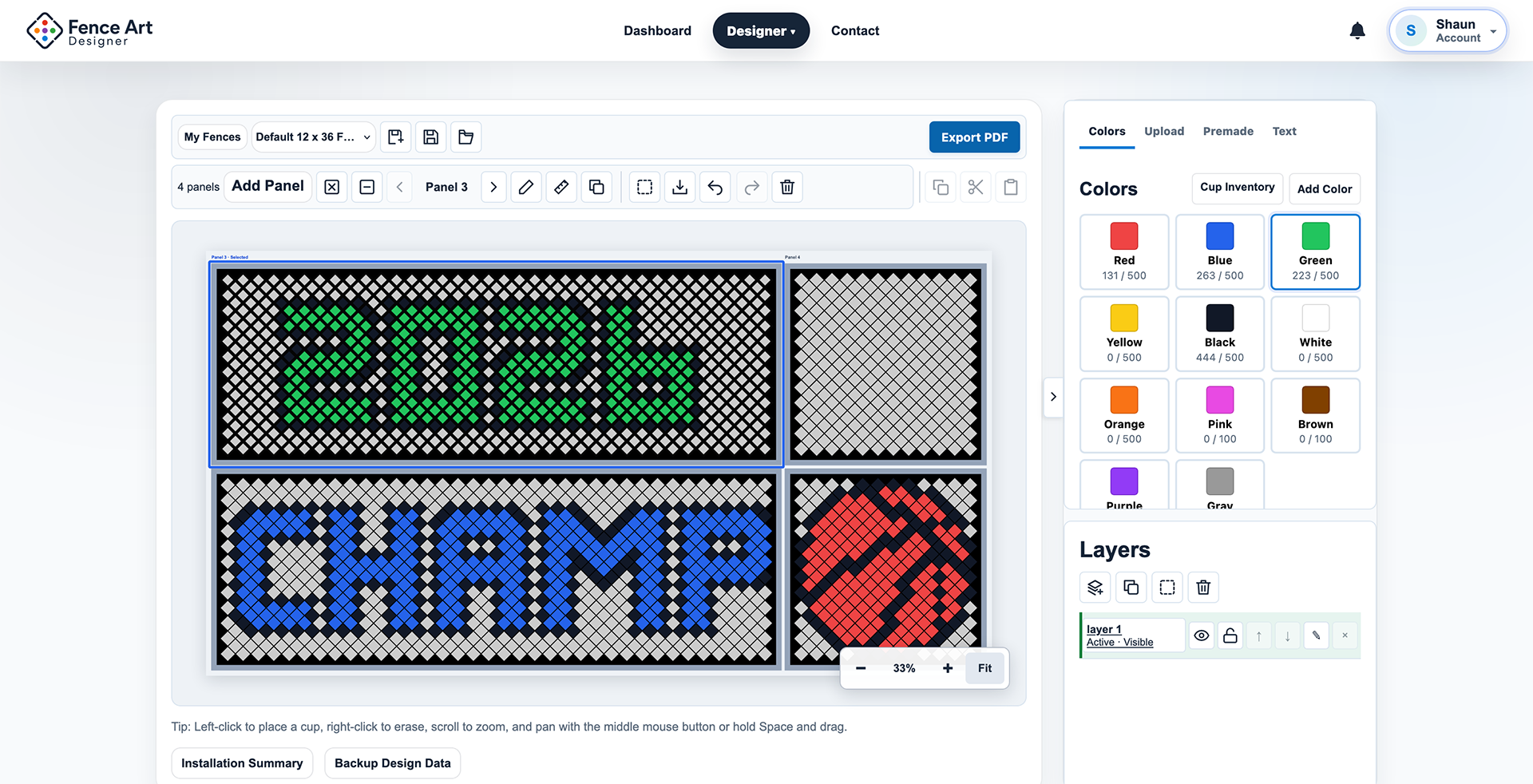
Plan Bigger Displays Across Multiple Panels
See connected physical fence panels as one artwork space, instead of planning each piece in isolation.
- Arrange panels and carry artwork across their seams.
- Fit, zoom and pan across the connected workspace.
- Export an overview and panel-specific installation sheets.
Premium
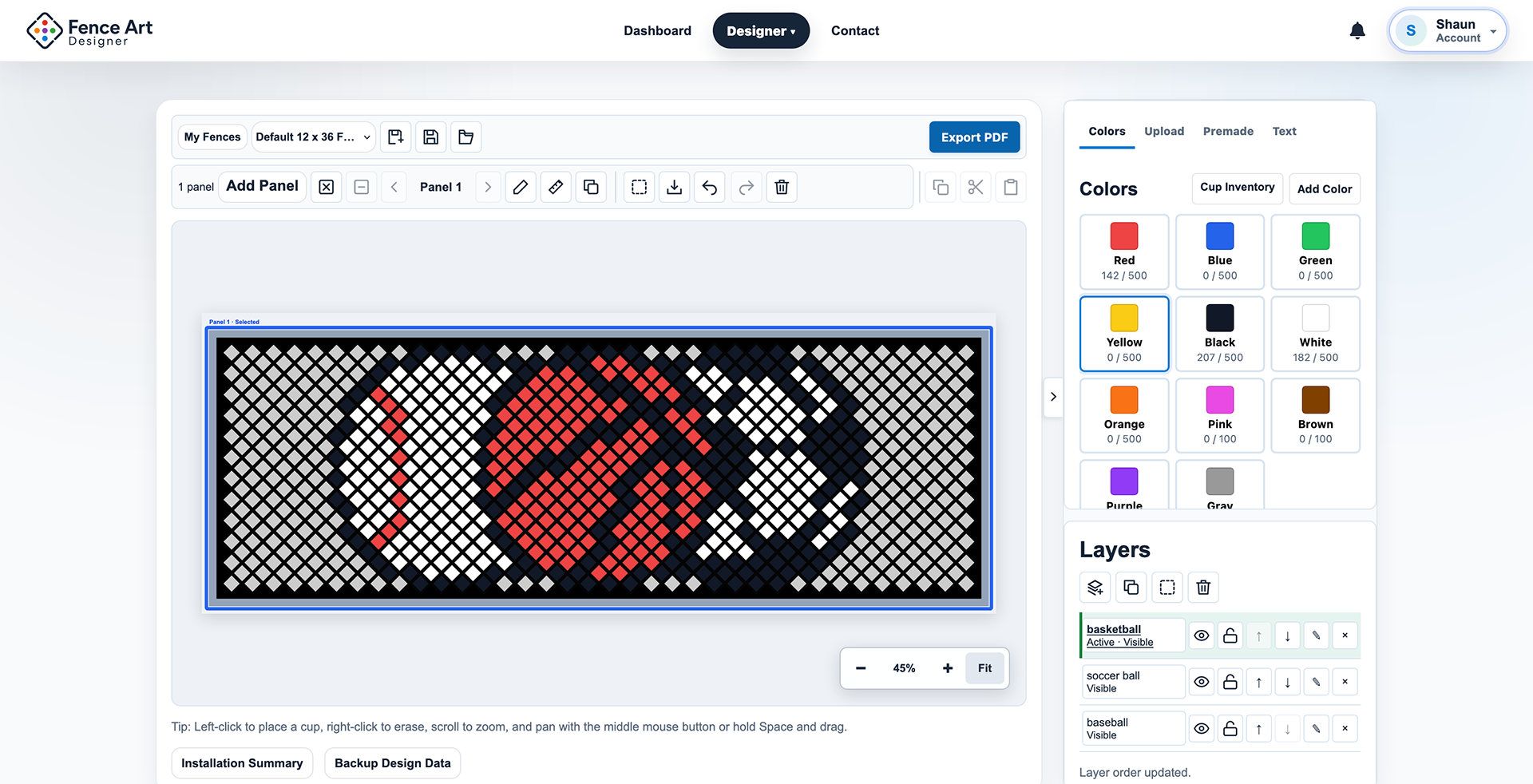
Organize Complex Designs With Layers
Keep separate parts of your design organized while seeing how they work together on the fence.
- Order layers, hide them or lock them against edits.
- Edit the active layer and move artwork between layers.
- The topmost visible artwork forms the result; saved projects preserve layer data.
Premium
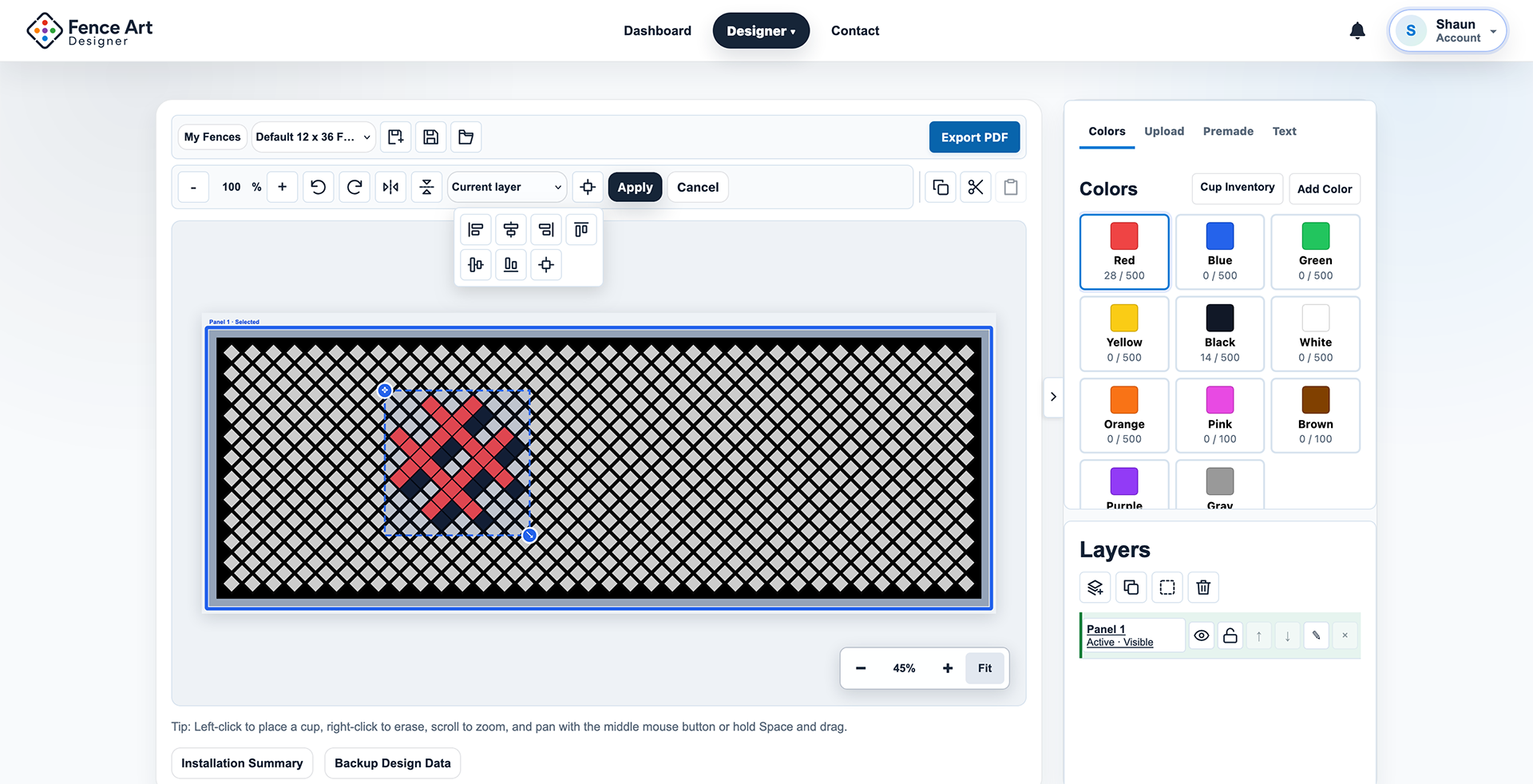
Edit Artwork Like a Design Tool
Select a part of your design and refine its placement without rebuilding it cup by cup.
- Move a rectangular selection and resize it from 50% to 400%.
- Rotate in 90-degree steps, flip horizontally or vertically, and copy, cut or paste.
- Align artwork, nudge it with the keyboard and edit across panels.
Premium
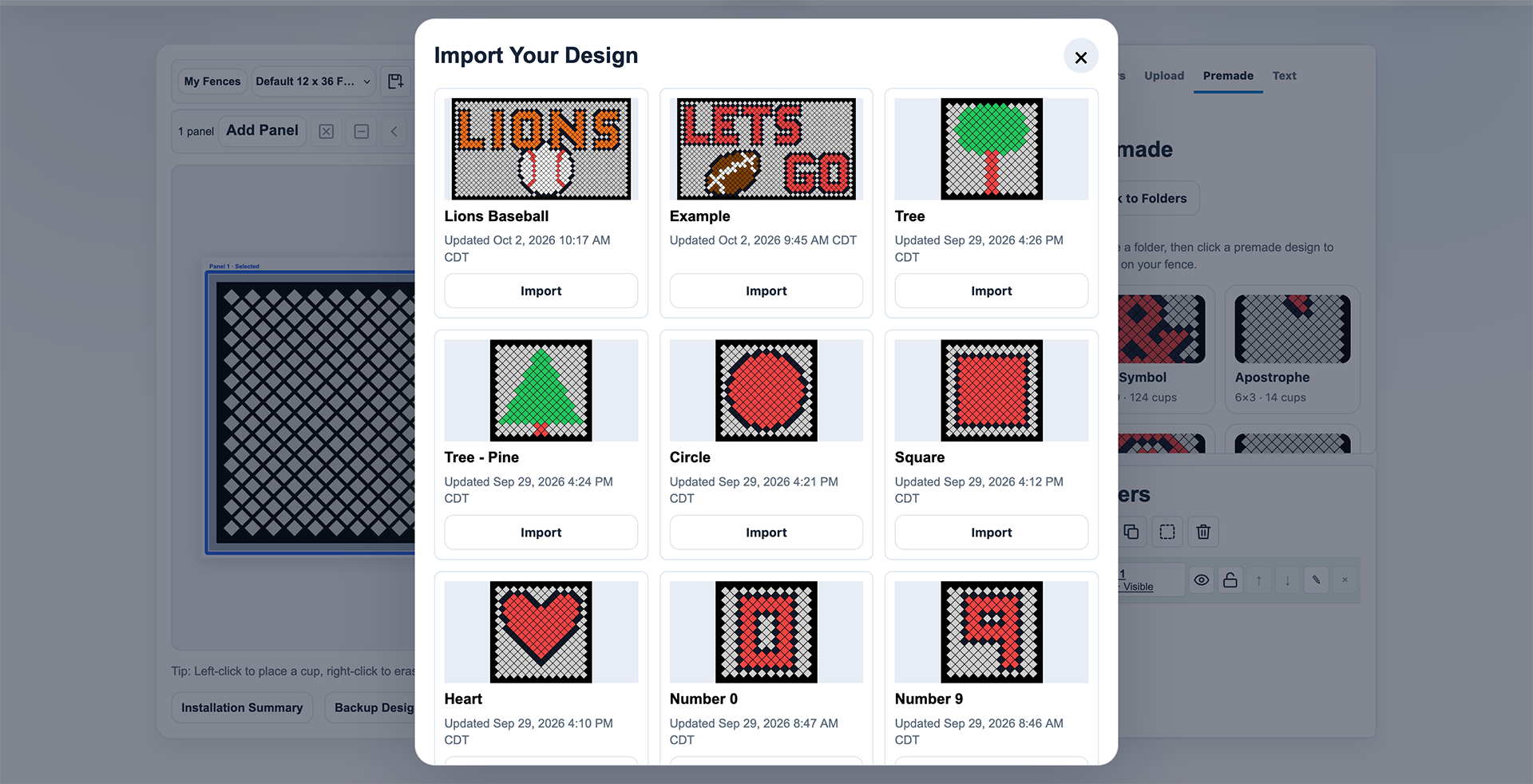
Reuse Your Best Work
Bring cup artwork from one of your saved projects into a new fence design.
- Choose a saved project, then scale and position its cups.
- Preserve exact colors where available and reuse artwork on new layouts.
- Preview the placement; Apply commits it as one action.
Free + Premium
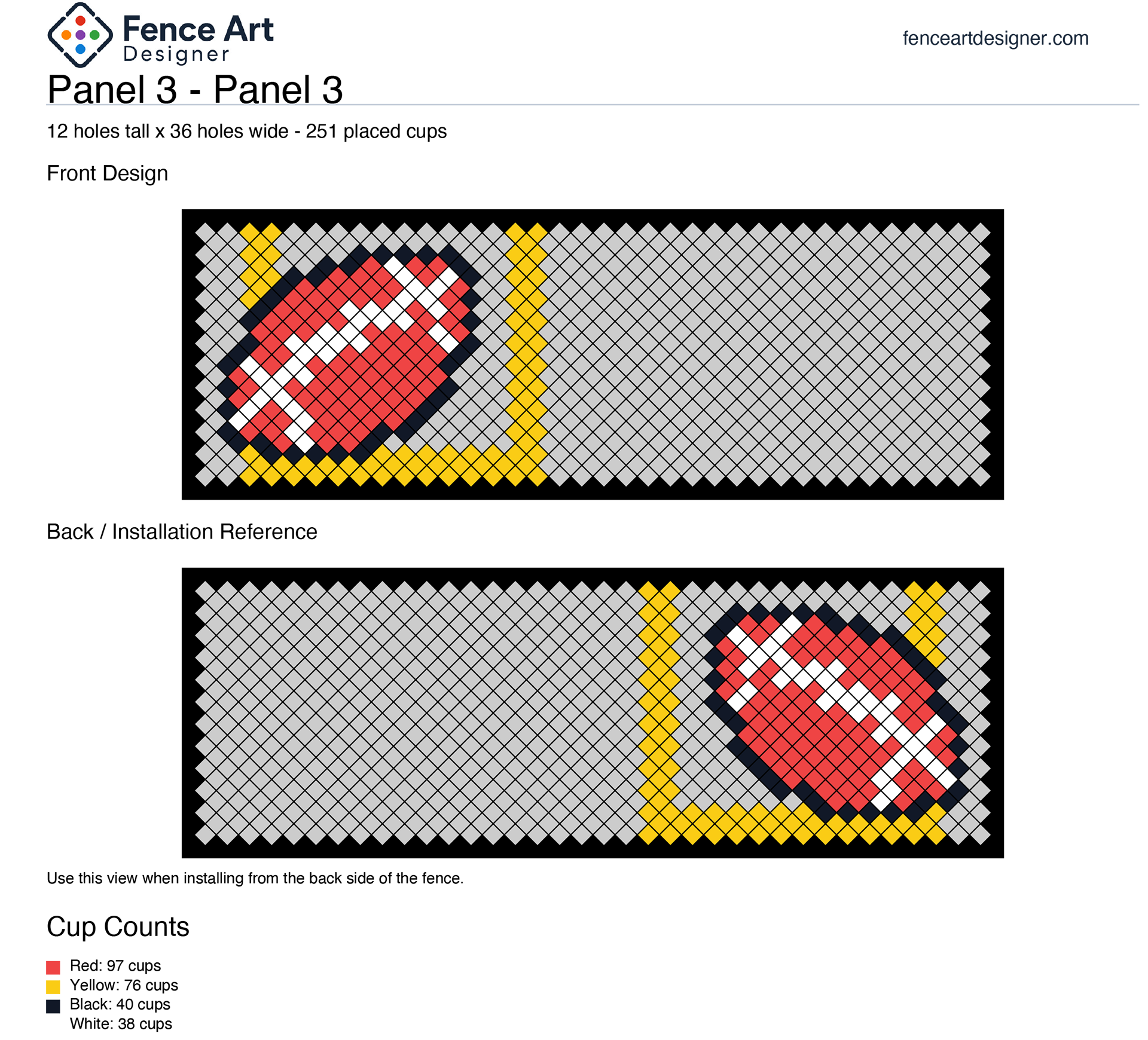
Turn Your Design Into an Installation Plan
Take the design off the screen with printable references your installation team can use.
- Export PDF installation sheets and cup counts.
- Use front and flipped references to follow the artwork on site.
- Premium multi-panel designs include an overview and per-panel sheets.

Free
Know Which Cups You Need
Track used versus available quantities, identify missing colors and reorder your inventory colors.
Project usage follows the visible, composited artwork, so covered cups are not counted twice.
Choose your tools
Start Free. Add More Possibilities.
The core workflow is Free. Premium adds tools for more ambitious artwork.
Free
- Core Fence Designer
- Manual cup placement and erase
- Cup inventory and missing-color tracking
- Text tool
- Free Premade Designs
- Save and manage projects
- Custom fence layouts / My Fences
- PDF installation sheets
Premium
 Premium
Everything in Free, plus:
- Image Upload & Conversion
- Multi-Panel Workspace
- Cross-panel artwork placement
- Layers
- Select / Move / Transform
- Copy / Paste / Flip / Alignment
- Import Your Design
- Premium Premade Designs
How it works
From Idea to Installation
Plan the pattern, refine the details and give your team a clear reference to follow.
Build Your Fence
Choose a saved fence or create the layout you are designing for. Start with the space you actually have, so the artwork belongs on your fence from the beginning.
Free: saved layouts and My Fences. Premium: connected multi-panel planning.
Create Your Artwork
Place cups by hand, add your words or begin with a premade. With Premium, preview an image conversion or import cup artwork from a saved project.
Start with a clear message, simple graphic or a design you already know.
Refine the Design
Check colors and cup quantities as your display takes shape. Premium layers, selection and alignment help you organize and position artwork before the final Apply.
Review the visible design and missing colors before gathering your cups.
Export & Install
Generate printable installation references and cup counts. Share them with your team and follow the pattern as you build the display on the real fence.
Confirm dimensions, quantities, permissions and site conditions before installation.
 Create Your Artwork
 Refine the Design
 Export & Install
Ideas worth sharing
Made for the People Who Bring Fence Displays to Life
- Schools
- Sports teams
- Booster clubs
- Families
- Events
- Community groups
- Small businesses
 Schools
Plan together before installation day, without counting out every part of the design on paper.
Ready to Start Designing?
Bring your next fence display to life.